Beware of AWS Free Tier, Your Credit Card Might Get a Nasty Surprise
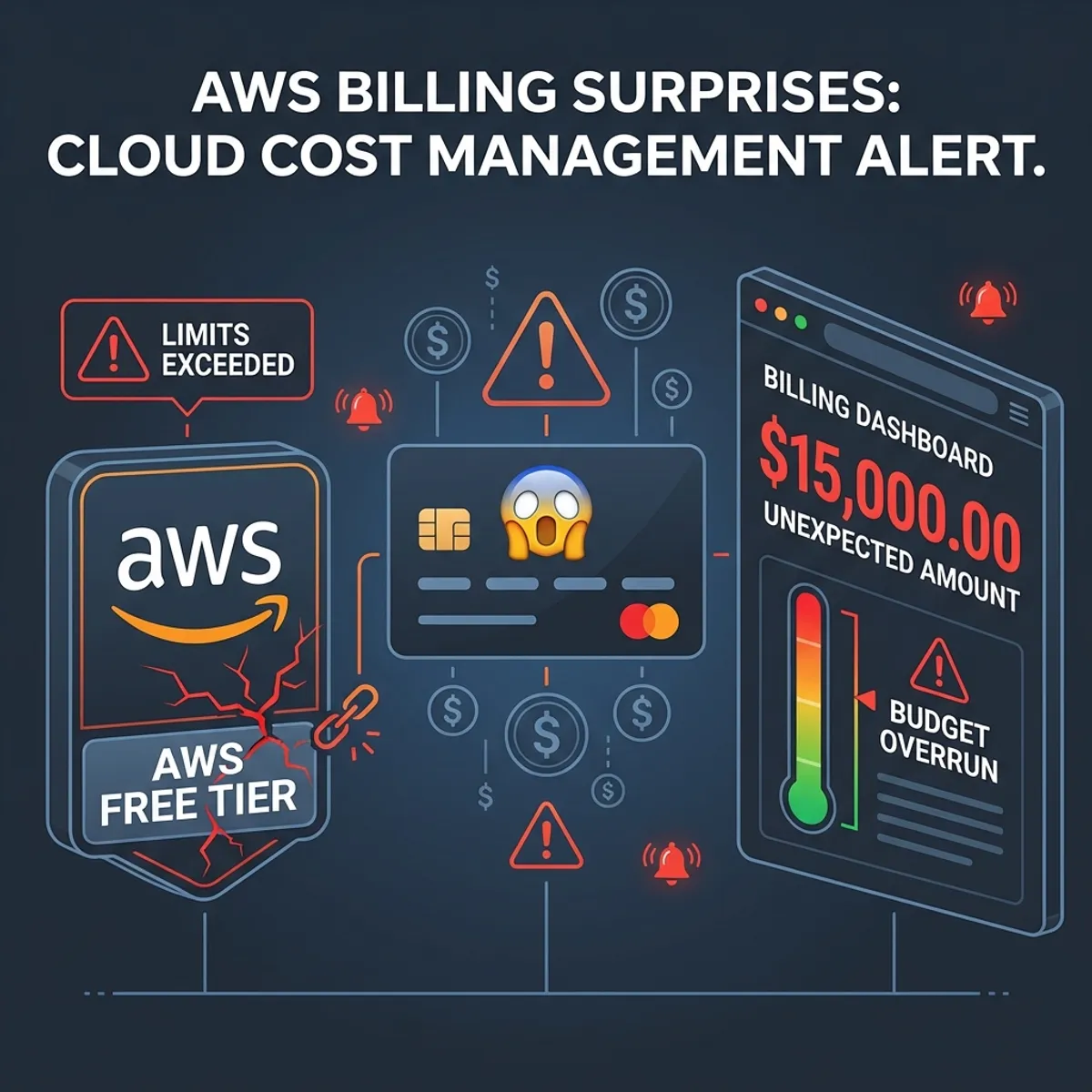
7 AM. Email notification. From AWS. The subject line made me instantly awake. “Your AWS bill for January is $847.23.”
In this article, we cover AWS Free Tier in a practical way so you can apply it with confidence.
Eight hundred and forty seven dollars. For an account that was supposed to be free tier.
I immediately opened my laptop. Logged into the AWS Console. The billing dashboard showed numbers that made my stomach turn. Most of the charges came from EC2 instances I forgot to terminate and a NAT Gateway that apparently was not included in the free tier.
This is not someone else’s story. This is my own experience from three years ago.
The invisible free tier traps
AWS Free Tier sounds like a gift from heaven. 12 months of free access. 750 hours of t2.micro per month. 5GB of S3 storage. Perfect for learning.
But there are traps that are not written in big letters on the promotion page.
What many people do not realize
First, those 750 hours are a combined total. If you run 2 t2.micro instances simultaneously 24/7, you will exceed 750 hours in half a month. The rest? Billed.
Second, not all regions have the same free tier coverage. Some services that are free in us-east-1 are actually paid in other regions.
Third, there are services that look free but actually have paid components. NAT Gateway is a classic example. You create a VPC with a private subnet, follow a tutorial, and suddenly get hit with a $30 monthly charge without realizing it.
Fourth, outbound data transfer is billed. Even for free tier. Upload is free, download is paid.
Common scenarios that break the bank
Here are some scenarios I frequently encounter from friends who are new to cloud.
Scenario 1: Zombie Instances
Create an instance for experiments. Finish learning, close browser, forget to terminate. The instance keeps running 24/7 for weeks.
Scenario 2: Accumulating Storage
EBS snapshots created for backup but never deleted. Custom AMIs that are no longer used. S3 buckets filled with experimental files.
Scenario 3: Wrong Instance Type Selection
T2.micro is free. T2.small is paid. One word difference, hundreds of dollars difference in billing.
Scenario 4: Load Balancer “For Learning”
Application Load Balancer is about $20 per month. Network Load Balancer is even more expensive. Created to “try out”, forgotten to delete.
How to detect before IT is too late
AWS actually provides tools for cost monitoring. The problem is, nobody tells you to activate them.
Budget alert is your lifesaver
The first step after creating an AWS account should be setting up a budget alert. Not launching an instance.
- Open AWS Console → Billing → Budgets
- Click “Create budget”
- Choose “Cost budget”
- Set amount to $5 or $10 (low threshold for beginners)
- Add email notification at 50%, 80%, and 100%
With this, you will receive warning emails before the bill explodes.
AWS free tier usage alert
There is a specific feature for free tier that is often overlooked.
- Billing → Preferences
- Check “Receive Free Tier Usage Alerts”
- Enter your email
You will receive notifications when usage approaches the free tier limit.
Cost explorer
Cost Explorer shows a breakdown of costs per service.
- Billing → Cost Explorer
- Activate if not already
- Look at daily trends and identify which services are consuming your budget
It takes 24 hours after activation for data to start appearing.
Recovery steps if IT has already happened
What if the bill has already exploded? There are some steps you can try.
Contact AWS support
This is what I did when I got hit with the $847 bill. Open a ticket to AWS Support, explain the situation honestly.
In my experience and from several people I know, AWS is quite understanding for first time cases. They often provide a one time credit, especially if:
- This is the first time it happened
- You can demonstrate it was a genuine mistake, not abuse
- The resources causing the charges have been terminated
Do not be embarrassed to ask. The worst they can do is refuse. The best is your bill gets waived.
Identify and terminate immediately
Before contacting support, terminate all unnecessary resources.
- EC2 → Instances → Terminate unused ones
- EC2 → Volumes → Delete unattached volumes
- EC2 → Snapshots → Delete old snapshots
- EC2 → Load Balancers → Delete if any
- VPC → NAT Gateways → Delete if any
- Elastic IPs → Release if not attached
The faster you terminate, the smaller the ongoing charges.
Check all regions
One mistake I often see is only checking one region. But instances can be created in any region.
Open the EC2 dashboard, then check each region one by one. The region dropdown is in the top right corner of the console.
Best practices for free tier users
After experiencing and seeing many cases, here are my recommendations.
Use tags for all resources
Add “Project” and “Environment” tags to every resource you create.
Project: docker-learning
Environment: test
This makes identification and cleanup easier later.
Set reminders for cleanup
After finishing learning one topic, set aside time for cleanup. Do not let resources accumulate.
I usually set a weekly reminder to review active resources.
Use AWS CLI for auditing
A simple script to list all EC2 instances in all regions.
for region in $(aws ec2 describe-regions --query "Regions[].RegionName" --output text); do
  echo "Region: $region"
  aws ec2 describe-instances --region $region \
    --query "Reservations[].Instances[].[InstanceId,State.Name,InstanceType]" \
    --output table
done
Run this periodically to ensure no zombie instances exist.
Consider AWS organizations
If you experiment a lot, create a separate AWS account specifically for learning. Combine it with AWS Organizations for consolidated billing.
The advantage is, if billing explodes in the learning account, your production account is not affected.
Safer alternatives for learning
If you are still paranoid about billing, there are some alternatives.
Localstack
LocalStack is an AWS emulator that runs on your laptop. Almost all AWS services can be simulated locally. Free for basic usage.
docker run -d -p 4566:4566 localstack/localstackYou can learn S3, DynamoDB, SQS, and more without worrying about bills.
AWS educate or AWS academy
If you are a student or have access to educational programs, AWS provides substantial free credits through these programs.
Alternative cloud providers with clearer free tiers
DigitalOcean and Vultr have more straightforward pricing. No hidden traps like AWS. Although their free tier is more limited, you know exactly how much you will pay.
If you are interested in your cloud journey, I have written about cloud learning tips for beginners that covers roadmaps and provider comparisons.
Lessons i learned
The experience of getting hit with an $847 bill was painful. But it taught me several things.
First, “free” in cloud is not truly free. There are always conditions and limitations.
Second, monitoring and alerting are not optional. They are mandatory from day one.
Third, cleanup is part of the workflow. Not something to do “later when I have time”.
Fourth, AWS Support is more helpful than I imagined. Do not hesitate to ask for help.
Closing thoughts
AWS Free Tier is a great way to learn cloud without a big investment. But like any powerful tool, it can be dangerous if not used carefully.
Set up budget alerts before doing anything else. Tag all resources. Clean up regularly. And always check the billing dashboard at least once a week.
Better to be paranoid about costs than shocked at the end of the month.
Do not let your credit card become a victim of cloud learning excitement.
I hope this guide on AWS Free Tier helps you make better decisions in real-world situations.
Implementation Checklist
- Replicate the steps in a controlled lab before production changes.
- Document configs, versions, and rollback steps.
- Set monitoring + alerts for the components you changed.
- Review access permissions and least-privilege policies.
Official References
Need a Hand?
If you want this implemented safely in production, I can help with assessment, execution, and hardening.
Contact Me
About the Author
Kamandanu Wijaya
IT Infrastructure & Network Administrator
Infrastructure & network administrator with 14+ years of enterprise experience, focused on stability, security, and automation.
Certifications: Google IT Support, Cisco Networking Academy, DevOps.
View ProfileNeed IT Solutions?
DoWithSudo team is ready to help setup servers, VPS, and your security systems.
Contact Us